


Troubleshooting Audio problems in Windows 11 (7 Solutions)
Audio sound problems on windows 11 usually occur due to physical issues with the sound card or problems with the audio driver. Again sometimes...

Photos Not Showing Thumbnail in Windows 11? Lets fix it
Did Windows 11 folder thumbnails not showing or have a question on mind, how to enable Thumbnail Previews in File Explorer in Windows 11?...

Windows 11 File Explorer Not Working? Apply these 7 solutions
The latest Windows 11 has bought a number of new and noteworthy features, right from changes to the taskbar to various user interface tweaks...

Solved: Service Registration is Missing or Corrupt Windows 11
Time to time installing windows updates on your laptop or computer is important, Specially it helps keep your PC safe, secure and equipped with...
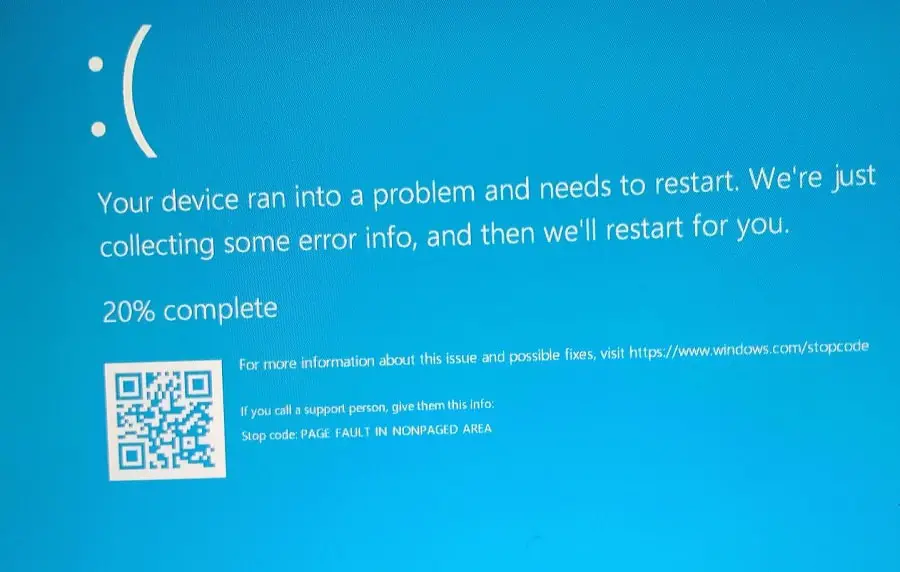
PAGE_FAULT_IN_NONPAGED_AREA in Windows 11 (9 solutions)
Windows 11 Blue screen error PAGE_FAULT_IN_NONPAGED_AREA stop code can have many causes. Especially after the installation of what it calls “a faulty system service...

DNS server not responding or Unavailable on Windows 11? Lets fix it
Internet not working or no internet access after windows 11 update? And running the internet troubleshooter results DNS server not responding or DNS Server...

Blank or black screen with cursor after signing in to Windows 11
Sometimes you might experience, windows 11 black screen with a cursor before login or a blinking cursor after login. A number of users report,...

4 Different ways to start windows 11 in safe mode (explained)
Booting Windows 11 in Safe mode start your computer with most of its nonessential features disabled. It starts your compute with just the basic...

2 Working methods to fix This PC can’t run Windows 11
Getting an error that says, " This PC can't run Windows 11 while trying to install the latest Windows 11 preview build on your...

How to Check Windows Version, Edition, and Build Number
Easily check your Windows 11 version, edition, and OS build number using simple built-in tools like the Settings app, the winver command, System Information, or Command Prompt. Understanding these details makes it easy to troubleshoot system issues, verify software compatibility, and ensure your PC stays completely up to date with the latest features.
Popular Posts

18 Interesting Facts about the Development of Computers (Everyone Must Know)
Personal computers (PCs) are devices that can perform various tasks, such as processing information, web browsing, storing data, gaming, and more. They are everywhere...
How to Enable and use Windows Sandbox on Windows 11/10
Windows sandbox is a feature on Windows 11 and 10, allows you to safely test apps and programs in an isolated environment without affecting...
9 Dangerous VPN Myths That Could Put Your Privacy at Risk (And What to...
A VPN (virtual private network) is one of the most recommended tools for online privacy in 2026. It encrypts your internet traffic, routes it...
Solved: Headphones not recognized (Not working) on windows 10
Getting difficulty while using headphones on Windows 10 computer, Such as computer not recognizing headphones, headphones not showing up in playback devices, laptop not...
Why Is Google Chrome So Slow? 7 Causes and How to Fix Them
Google Chrome is usually fast and responsive, but it can become sluggish over time. You might notice web pages taking longer to load, tabs...