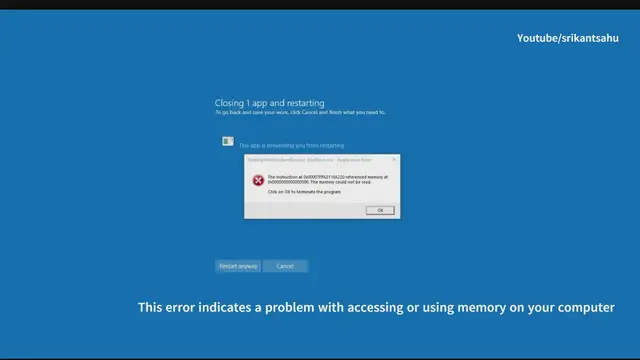

Instruction at Referenced Memory Could Not Be Read error windows PC (Solved)
Jul 11, 2024
The error message "Instruction at referenced memory could not be read" typically indicates a memory-related issue with a specific application or process in Windows. Here are some steps you can take to troubleshoot and potentially resolve this issue.
Memory Access Issue: The application or process is attempting to access memory that it either does not have permission to access or that is corrupted.
Software or Hardware Conflict: It could be caused by faulty software installation, outdated drivers, or even hardware issues like faulty RAM.
Restart Your Computer: Sometimes, a simple restart can resolve temporary memory issues. Restart your computer and check if the error persists.
Update Windows and Drivers: Ensure that your Windows operating system and all device drivers are up to date. Microsoft frequently releases updates that include bug fixes and stability improvements.
Run Windows Memory Diagnostic: Helps detect and repair issues with RAM that could lead to memory access errors.
Scan for Malware: Malware can manipulate memory processes, causing errors. Scanning ensures a clean system environment.
Check Recently Installed Software: Uninstalling problematic software resolves conflicts that affect memory access.
Adjust Virtual Memory Settings: Customizing virtual memory settings prevents memory allocation problems that lead to errors.
Check for Overclocking: Reverting overclocked settings to default levels prevents memory instability.
Show More Show Less #Computers & Electronics
#Operating Systems