


The latest Microsoft Edge browser is based on the Chromium project and it uses the same blink engine used by Google Chrome. It’s the default browser for the latest Windows 11 and Windows 10 that comes preinstalled with the latest version or Windows 11 version 23H2. Microsoft Edge is a fast and secure browser that helps you protect your data and save time. The built-in features like startup boost and sleeping tabs make the browser startup quicker and boost the browsing experience. Recently The company updated the Microsoft Edge 123.0.2420.65 which now added buttons to zoom in/out and reset the image position within the Magnify image dialog and restart functionality in video dubbing, several bug fixes, and improvements to the browser.
The new Edge is based on the Chromium open-source project, an open-source web rendering engine developed by Google, which is also the engine behind Chrome, Opera, Amazon Silk, and many other browsers and that makes new Edge similar to Google Chrome in that regard.
Microsoft Edge 123 what’s new?
The latest version of Microsoft Edge is 123.0.2420.65 available on 29 March 2024, and features lots of improvements and security patches. Today’s release patched the 2 security issues and add a few new features to the Edge browser.
As per the release note, the Latest Microsoft Edge 123 Added buttons to zoom in/out and reset the image position within the Magnify image dialog and also there is new restart functionality in video dubbing.
In addition, Admins can customize their organization’s branding assets onto Edge for Business through the Microsoft Edge management service. This Microsoft Edge management service feature will give admins an enhanced experience to configure, preview, and customize how Edge for Business shows the following organization brand assets:
- Organization name
- Accent color
- Organization logo
- Edge for Business taskbar icon overlay
The Microsoft Edge management service will provide admins with the ability to configure settings for automatic profile switching in the Microsoft Edge browser.
New Policy updates
- AccessControlAllowMethodsInCORSPreflightSpecConformant – Make Access-Control-Allow-Methods matching in CORS preflight spec conformant
- AdditionalSearchBoxEnabled – Enable additional search box in browser
- AllowBackForwardCacheForCacheControlNoStorePageEnabled – Allow pages with Cache-Control: no-store header to enter back/forward cache
- AllowWebAuthnWithBrokenTlsCerts – Allow Web Authentication requests on sites with broken TLS certificates.
- BlockTruncatedCookies – Block truncated cookies
- DefaultWindowManagementSetting – Default Window Management permission setting
- ExtensionInstallTypeBlocklist – Blocklist for extension install types
- ExtensionManifestV2Availability – Control Manifest v2 extension availability
- FileOrDirectoryPickerWithoutGestureAllowedForOrigins – Allow file or directory picker APIs to be called without prior user gesture
- HttpAllowlist – HTTP Allowlist
- NewBaseUrlInheritanceBehaviorAllowed – Allows enabling the feature NewBaseUrlInheritanceBehavior
- RequireOnlineRevocationChecksForLocalAnchors – Specify if online OCSP/CRL checks are required for local trust anchors
- RSAKeyUsageForLocalAnchorsEnabled – Check RSA key usage for server certificates issued by local trust anchors
- ScreenCaptureWithoutGestureAllowedForOrigins – Allow screen capture without prior user gesture
- WindowManagementAllowedForUrls – Allow Window Management permission on specified sites
- WindowManagementBlockedForUrls – Block Window Management permission on specified sites
You can track the Release notes for Microsoft Edge browser Security Updates here.
This version of the web browser didn’t support Windows 7 and Windows 8.1, Earlier this week Microsoft dropped support for the two operating systems and recommended upgrading to Windows 11 or 10.
Microsoft Edge 123 Download
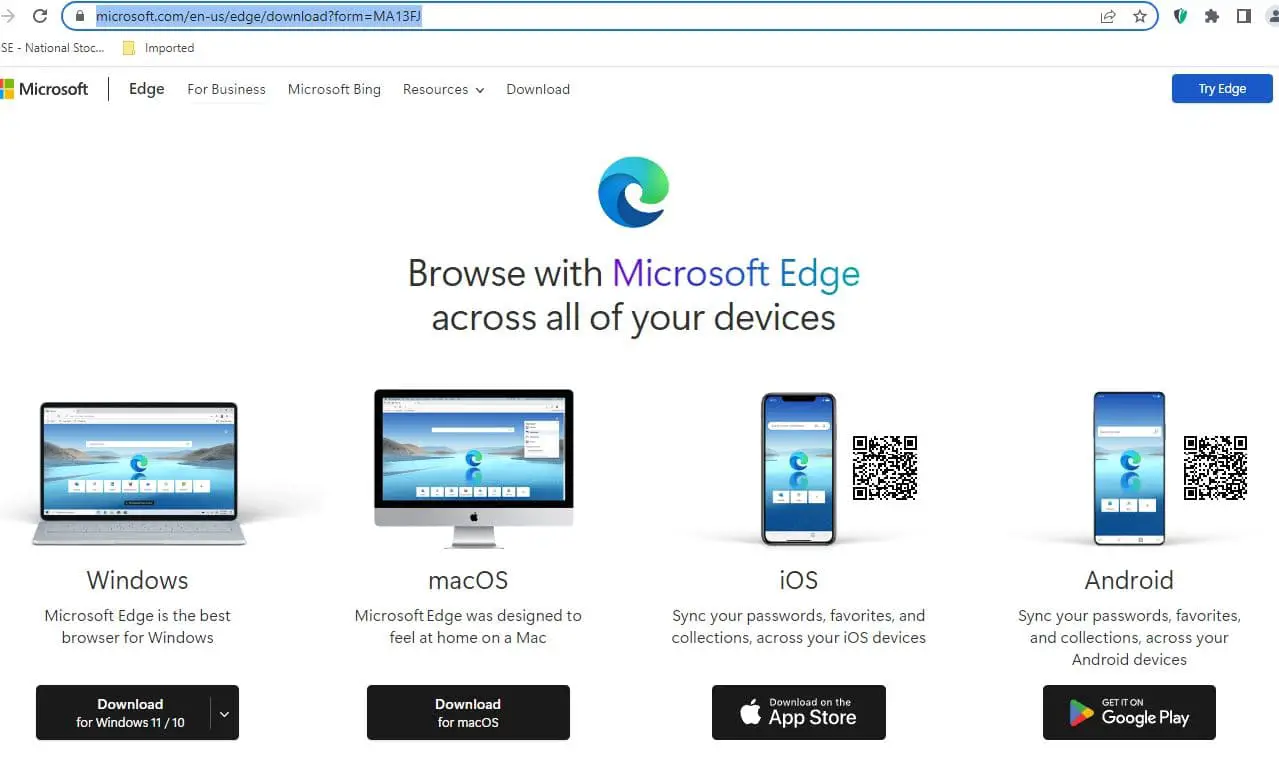
If you are running Windows 11 or Windows 10 you’ll eventually get it in a future update. Also, you can download the stable version for Windows 11, Windows 10, and macOS directly from microsoft.com/edge in more than 90 languages.

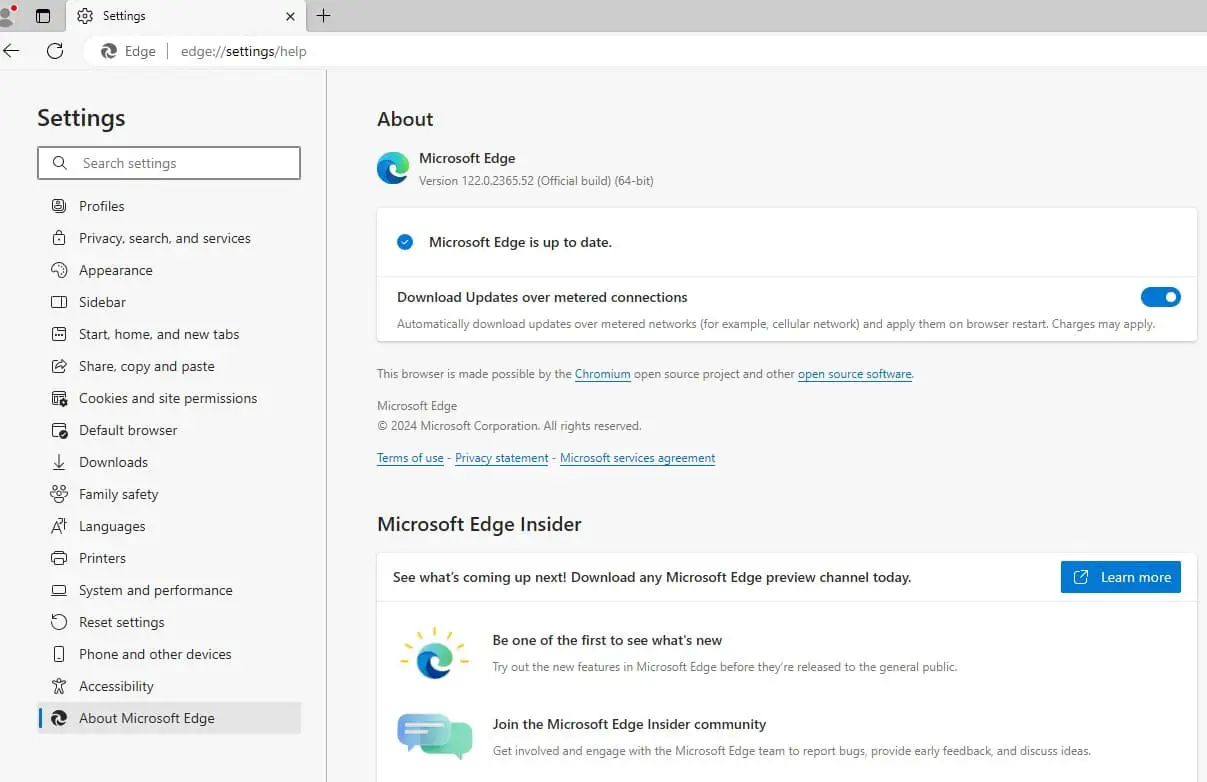
- If you are already running Microsoft Edge on your computer, you can type edge://settings/help on the address bar and press enter key to update the browser with the latest version.

Also, you can download Microsoft Edge Offline Standalone Installer Here
Download: Microsoft Edge 123.0.2420.65 Stable (offline installer) 32-bit (153.3 MB)
Download: Microsoft Edge 123.0.2420.65 Stable (offline installer) 64-bit (172.0 MB)
Download: Microsoft Edge 123.0.2420.65 Stable (offline installer) ARM 64-bit
Download: Microsoft Edge 123.0.2420.65 Stable for Linux 64-bit Linux (.deb) | Linux (.rpm)
Download: Microsoft Edge 123.0.2420.65 Stable for MacOS
Download: Microsoft Edge for iOS
Download: Microsoft Edge for Android
You can download the offline installer to install the Microsoft Edge browser on multiple computers without an internet connection.
Installing Microsoft Edge Browser manually
The following steps listed here are also applicable to Windows 10, 8.1, and 7 as well.
- Open the Chromium Microsoft Edge download website.
- Click the download for Windows 11/10 button
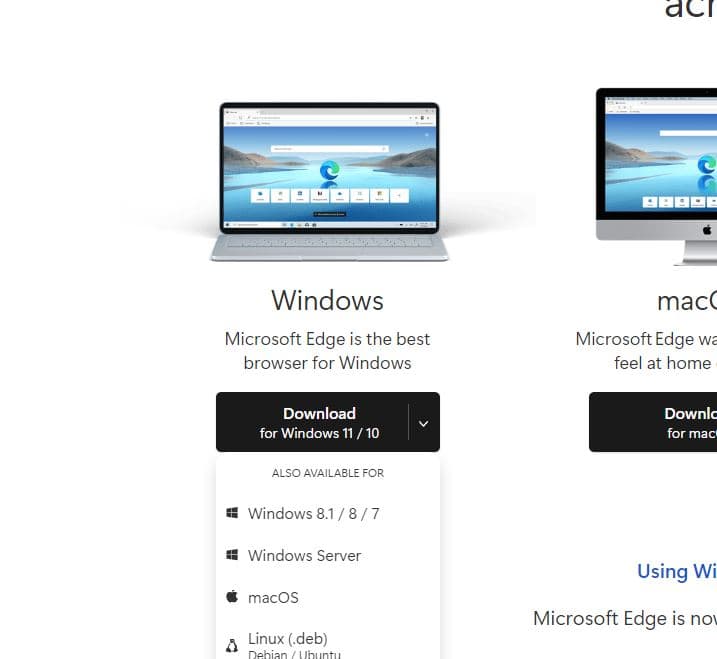

- Locate the download file, right-click on it select Run as administrator, Click the Accept and Download button
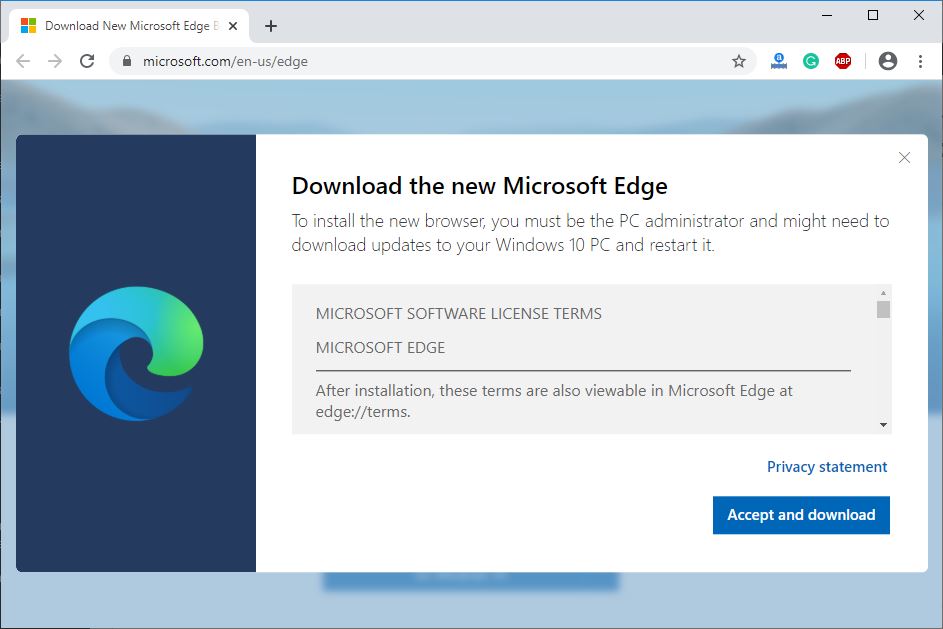

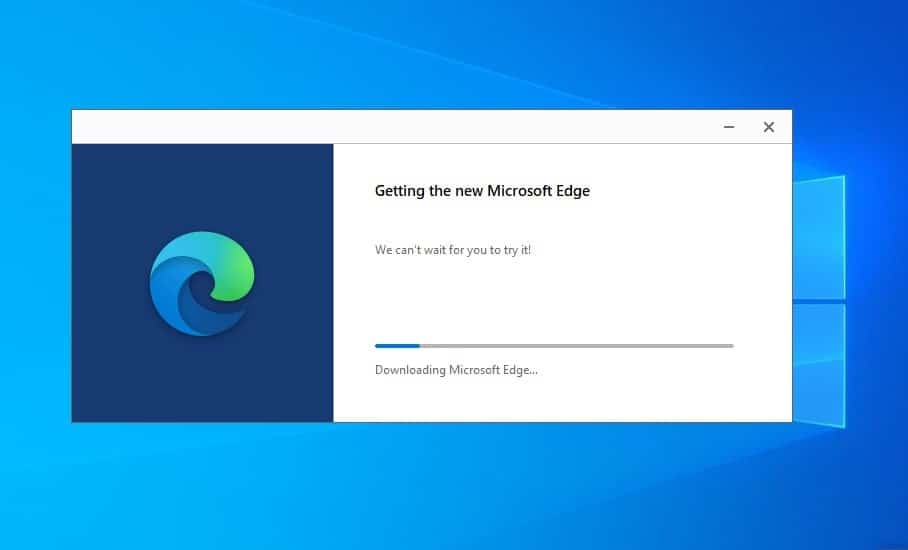
- Double-click the file to launch the wizard and install Microsoft Edge Chromium.
- Once you complete the steps, the new Edge browser will install replacing the legacy version.

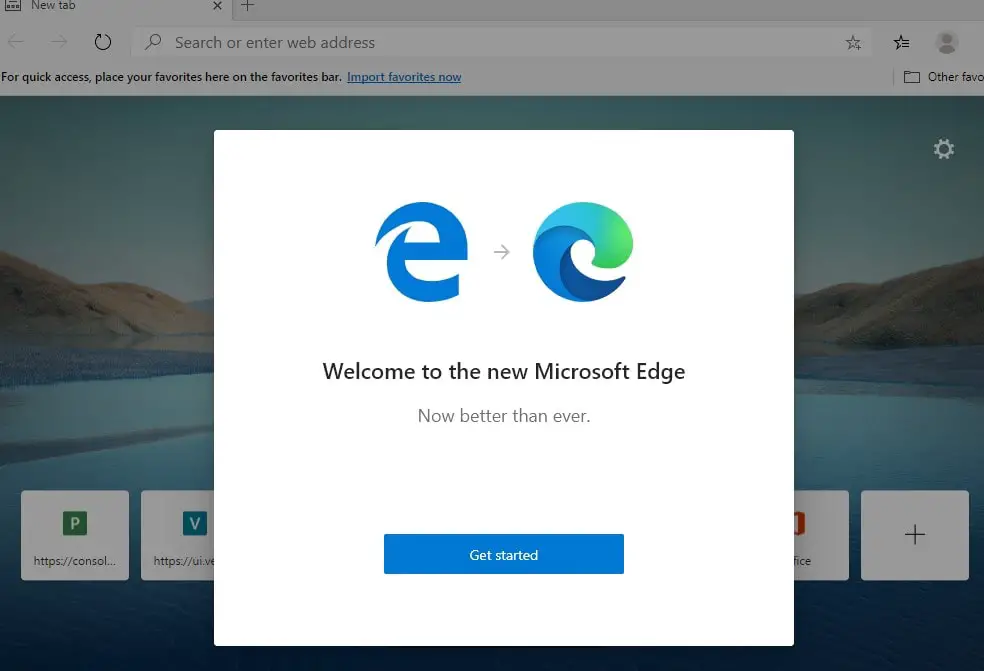
- Click the Get Started button.

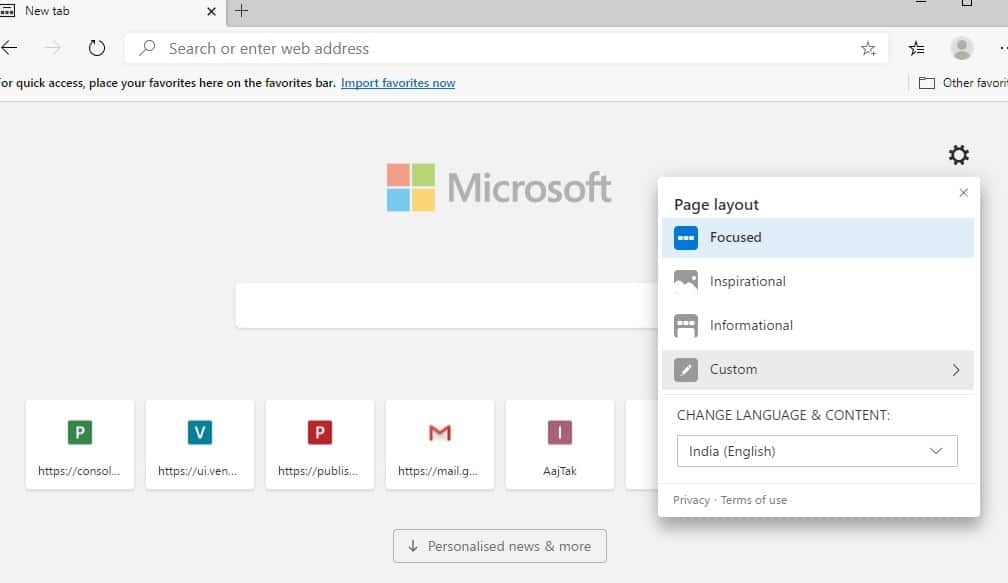
Select the new tab experience:
- Inspirational: Sets background image on a page that includes a search box and quick access to your most frequent websites.
- Informational: Sets a background image on the page with a search box, and you get access to the latest news headlines curated by Microsoft News.
- Focused: This option is similar to the “Inspirational” but without the background image.
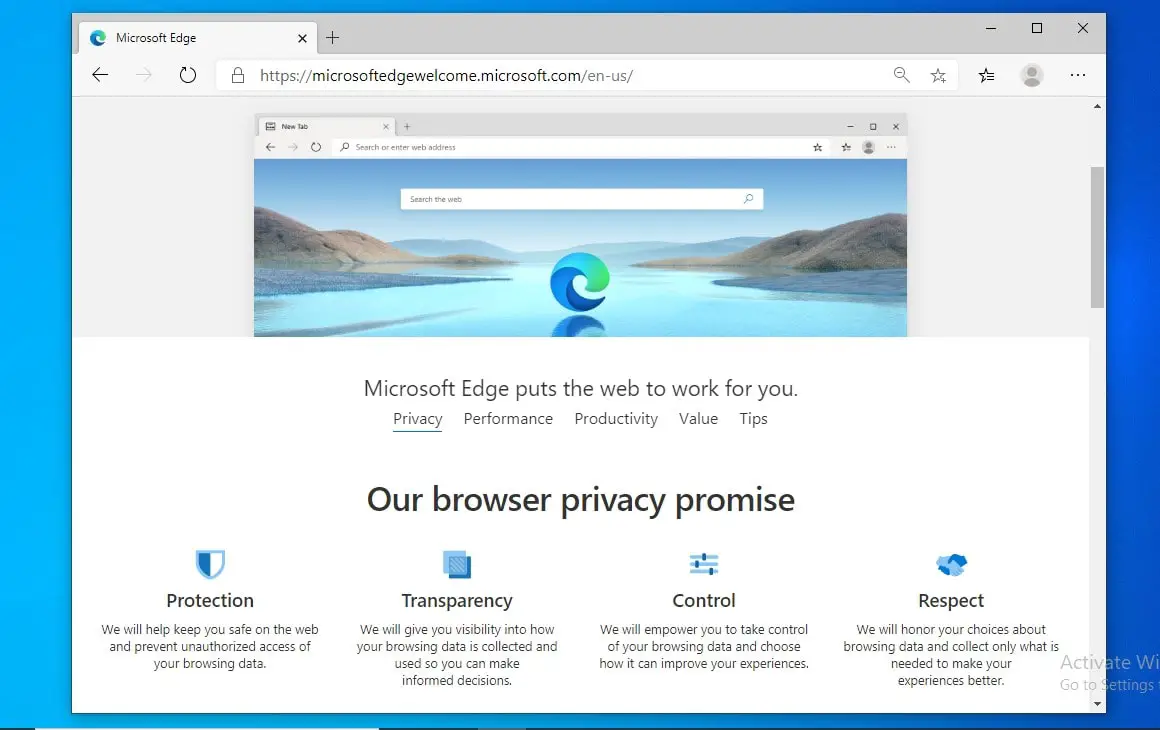
Follow on-screen instructions to Customize the sync settings option and select the items you wish to sync finally, you will get the new Chromium Edge.

New Microsoft Edge browser features
The new Chromium Edge browser also comes with several new features as well. Here are some of the exciting features introduced on the new Edge browser for Windows 11/10.
- Microsoft Edge 123 is a Fast and Secure browser that helps you protect your data and save time.
- The built-in features like startup boost and sleeping tabs make the browser startup quicker and boost the browsing experience.
- Microsoft Edge offers a Split Screen feature that lets you work on two tasks side by side within a single browsing tab. Boost your productivity with efficient multitasking.
- You can now quickly share files across devices with Drop. Just select the Drop icon in the sidebar on your desktop or in the Microsoft Edge mobile menu.
- With the power of AI, you can effortlessly transform your ideas into polished drafts, saving valuable time and ensuring the right tone, wherever you write online.
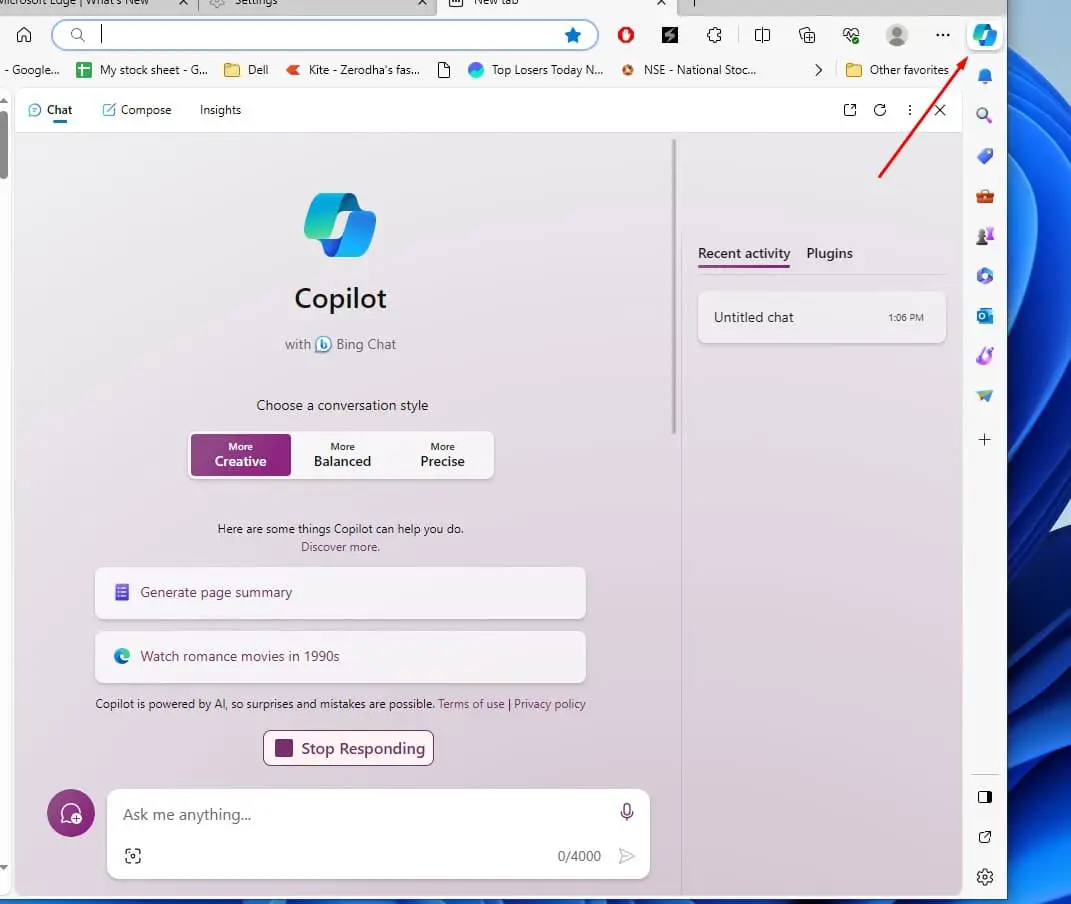
Copilot in Edge (AI assistant)
Copilot in Microsoft Edge is an AI companion for web users, offering features like web searches, learning information, task automation, language translation, and code assistance. Also available on the Edge mobile app, it provides a seamless experience for users on the go, ensuring quick and efficient interactions with the browser.

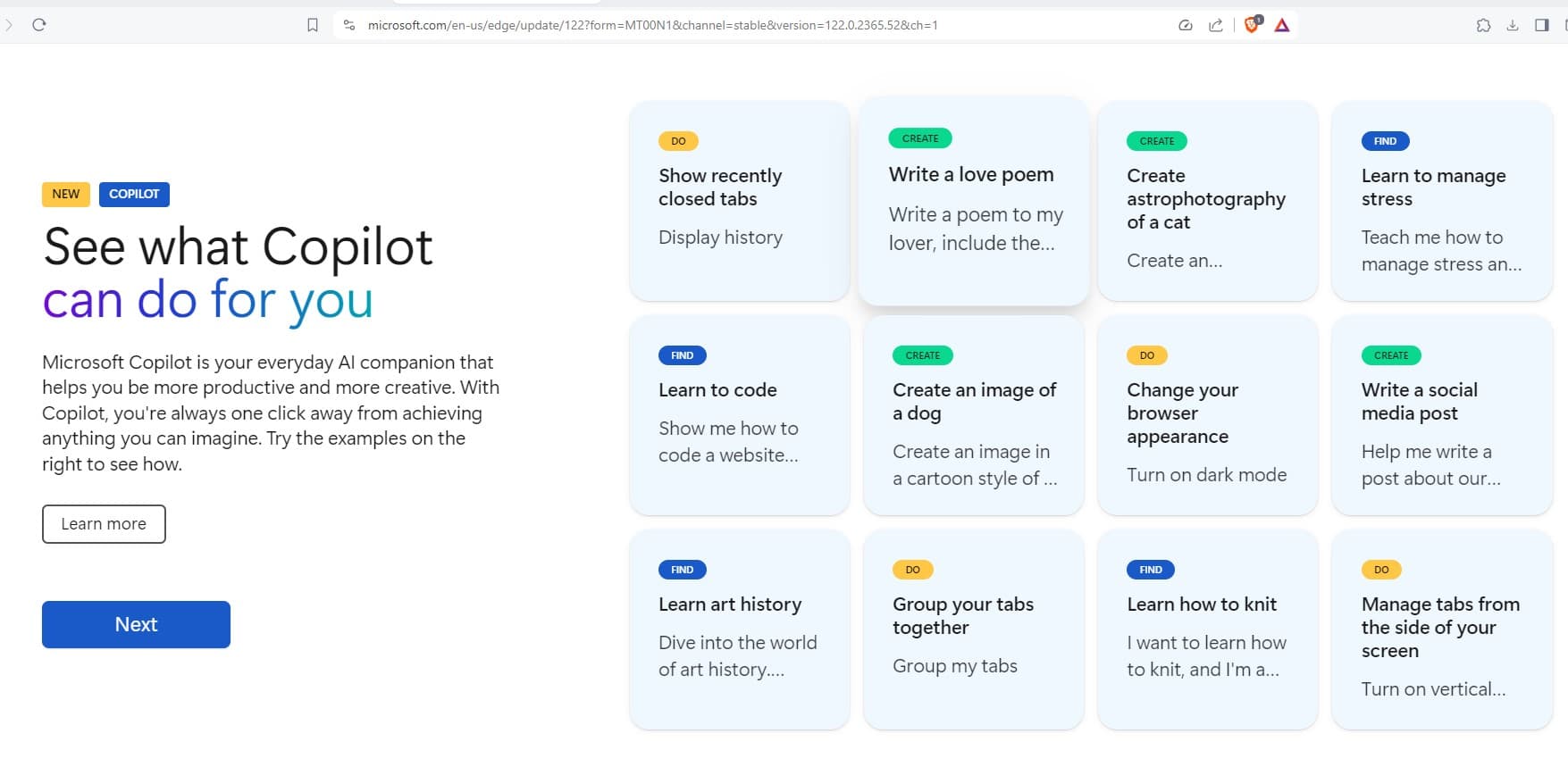
Here are some examples of what Copilot can do, ranging from basic to advanced:
- You can Ask Copilot to search for information on specific topics.
- Request explanations or details on various subjects.
- Command Copilot to open frequently visited websites or perform routine tasks.
- Utilize Copilot for quick translations between languages.
- Ask Copilot to summarize the content of a webpage.
- Get suggestions for articles or content based on individual interests.

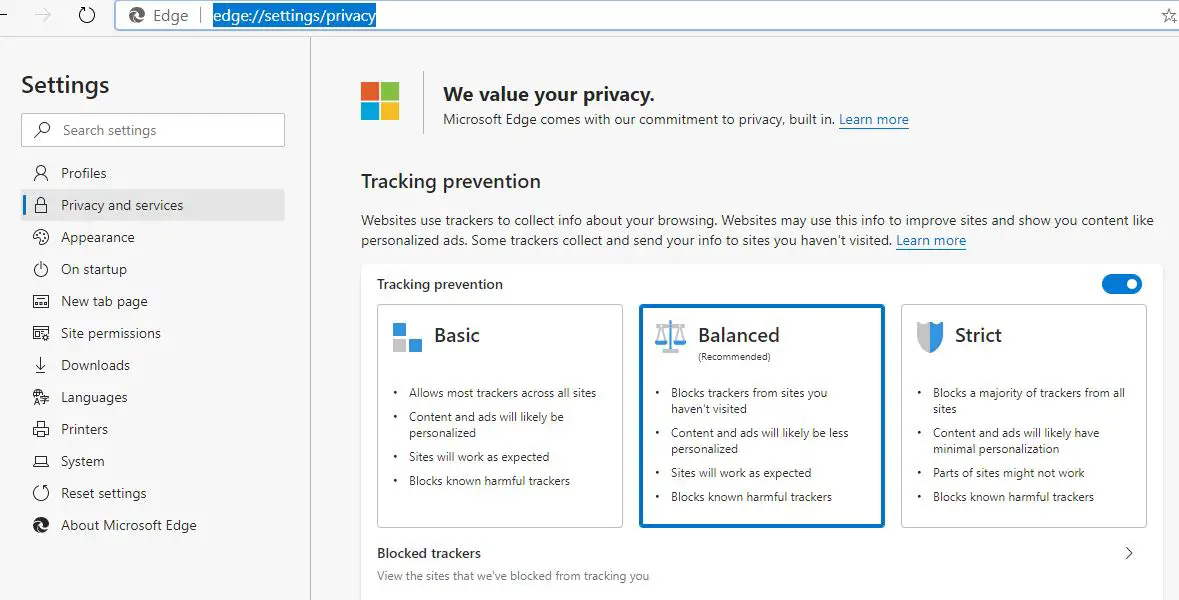
Tracking prevention
Talking about features latest Microsoft Edge comes with new privacy-focused features such as tracking prevention, which is enabled by default to limit tracking through ads and cookies. You can manage this setting from the Edge -> Settings -> Privacy and Services section.

Rewrite with Copilot
Compose, an AI-powered feature in Microsoft Edge’s Copilot, streamlines the writing process by effortlessly transforming ideas into polished drafts with the right tone. You can access it by clicking the Copilot icon, and it supports over 100 languages. Compose offers easy rewriting, allowing users to regenerate drafts or provide feedback for adjustments. It provides flexibility in selecting tones, formats, and lengths, even allowing for custom tones. Commercial data protection is integrated when users are signed in with their Entra ID, enhancing security for work or school accounts.

Tab Auto-Grouping
The Tab Auto-Grouping feature in Microsoft Edge streamlines tab organization. By clicking the Tab Action Menu near your tabs, you can choose “Group similar tabs.” This prompts Edge to use AI to categorize tabs with similar content. Each group is assigned a name and color for easy identification. You can also add tab groups to collections by selecting the option in tab group actions. This feature works in both classic and vertical tab layouts, offering flexibility in how you manage your browsing sessions.
Edge Sidebar on Windows Desktop
The latest version of Microsoft Edge can seamlessly integrate AI features into your desktop. By attaching the Edge sidebar to your Windows desktop, you gain swift and convenient access to a range of tools including Bing Chat, Compose, Shopping, Designer, and Drop, all in a convenient side-by-side layout. This enhancement makes it effortless to harness the power of AI for various tasks right from your desktop environment.
Microsoft Edge Splitscreen
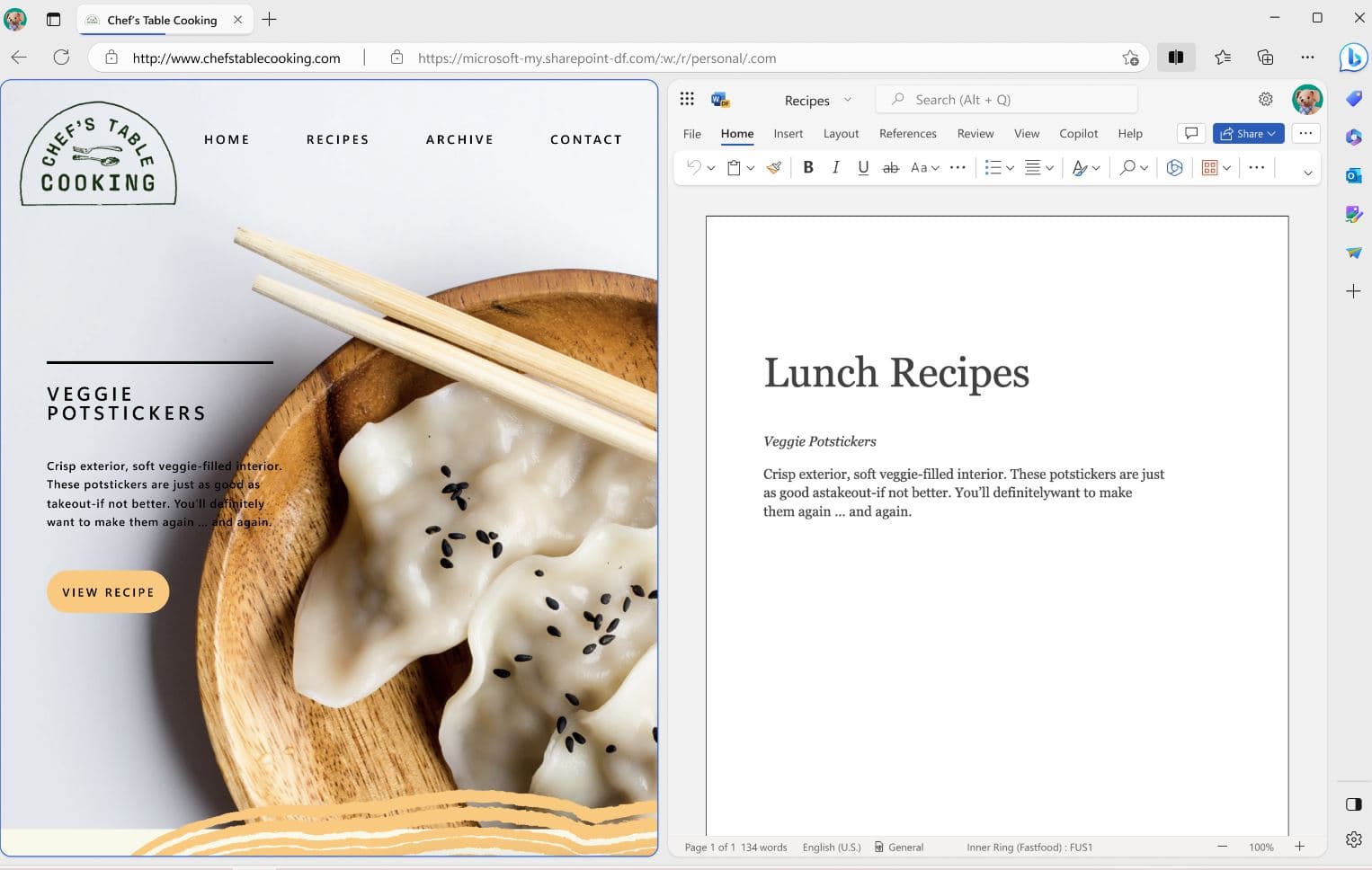
The new Split Screen feature in Microsoft Edge allows you to enhance your productivity by working on two tasks simultaneously. Within a single browsing tab, you can have two websites open side by side. To activate this, simply click on the Split Screen icon in the toolbar.
However, it’s important to note that you can split a maximum of two websites per tab. If you wish to exit Split Screen, locate the “Close split screen (X)” option at the top right corner of the active screen, and click it. This will return you to the standard browsing view.

Microsoft Edge Vertical tab support
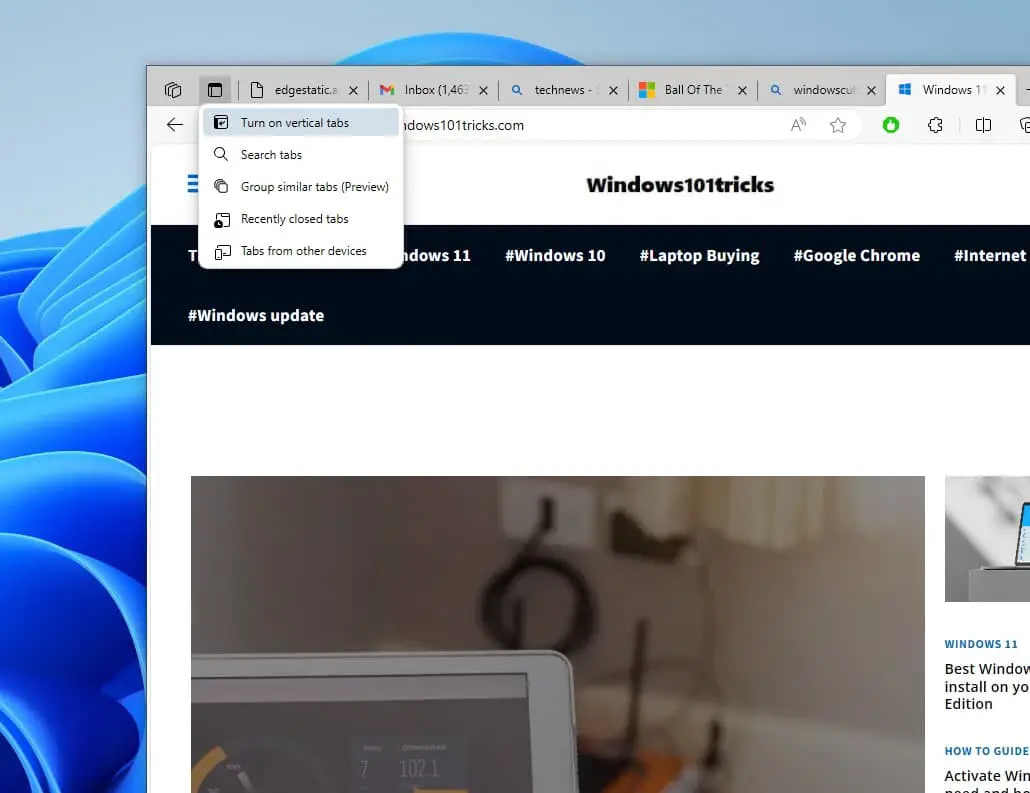
Microsoft Edge introduces Vertical Tabs, providing a more organized and spacious view of your open tabs. This feature is accessible on the latest versions of both Windows and MacOS. Rest assured, trying Vertical Tabs is not a permanent change. You can easily revert back to your original browser layout by disabling Vertical Tabs. Moreover, you can effortlessly switch between the two layouts using the shortcut Ctrl+Shift+Comma.
To group tabs together, utilize the Tab Groups feature. Simply right-click or press and hold a tab, then select “Add tab to a new group.” If you notice some tabs appearing grayed out, this indicates that they are in a sleeping state to conserve browser resources. This helps optimize performance while keeping all your tabs accessible.

Use Drop to share files
Drop in Microsoft Edge provides a seamless way to share files and messages between your mobile and desktop devices. It’s like an instant message conversation with yourself, making it intuitive and easy to use. You can even drag and drop files across various applications for quick sharing. Accessible in the sidebar of Microsoft Edge or the mobile app menu, Drop works on all devices with Microsoft Edge installed, including PCs, Macs, iOS, and Android. You can share files, images, and messages through Drop, all securely stored in OneDrive. To manage your storage and delete files, simply click the three dots (…) on the file and choose “Delete”. It’s a handy tool for efficient cross-device communication.
Edge Workspaces
Microsoft Edge Workspaces provide an efficient way to organize your browsing tasks by creating dedicated windows with distinct sets of tabs and favorites. This feature, accessible through the top-left menu icon, promotes focus, collaboration, and automatic saving, enhancing productivity and task management in the browser.
To initiate Workspaces, simply click on the dedicated menu icon located at the top-left corner of your browser window.
Custom page layout
Also, there is a new tab page layout that lets users choose which types of news they want to be seen on their new tab screen. You can manage the same using settings or from settings -> New tab page then select focused, inspirational, informational, or customize your setting. Here you can adjust the content language as well.

Install Chrome extensions
The new Edge is based on the Chromium project (open-source platform) it also means that the new Microsoft Edge is now compatible with many features available for Google Chrome users, including extensions. Yes, now you can use Chrome extensions on the Edge browser as well.
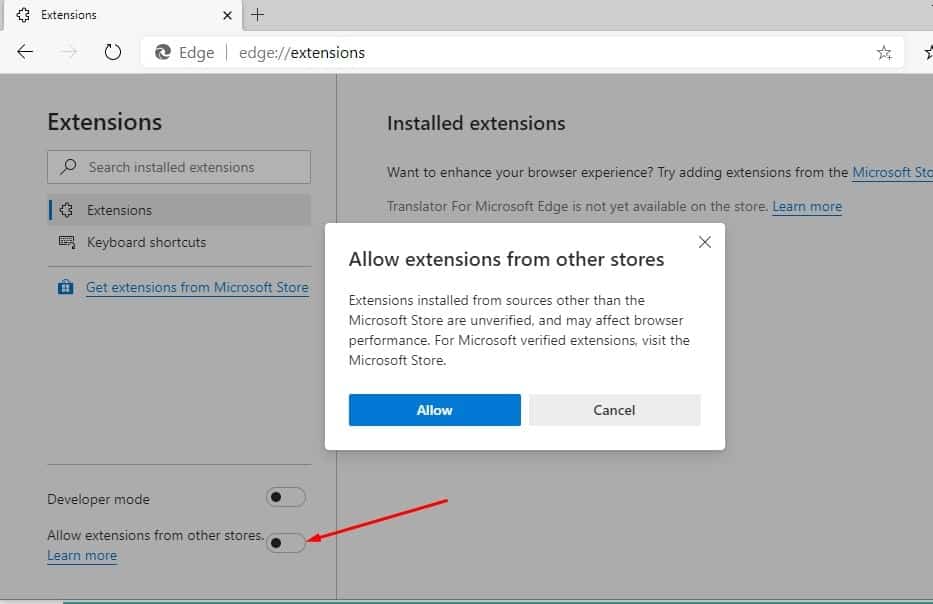
Microsoft Edge has its own store to download extensions but you can also install an extension that is designed for Chrome and available on the Chrome web store. But before this, you need to enable the option to install extensions from other stores from the “Extensions” settings.

Similar to the legacy version of the Edge browser, the new version includes a dark theme option. And within the “Appearance” settings you can switch between the light or dark mode. Select the “System default” option, which allows Edge to switch theme colors when you change the color scheme of Windows 11 using the Settings app.
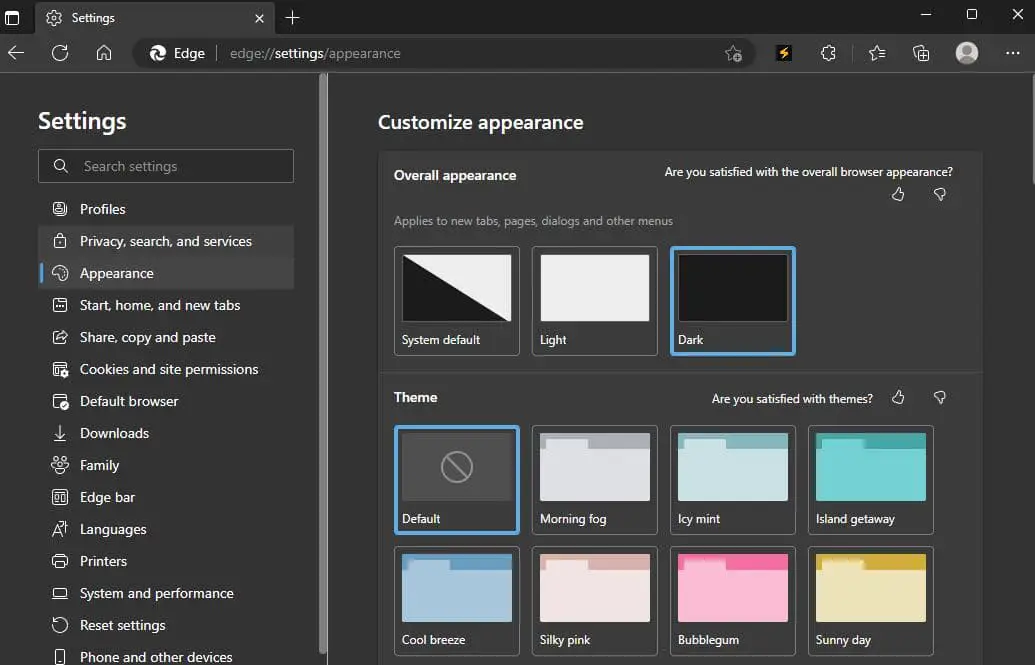

Further, Microsoft has provided AAD support, Internet Explorer mode, 4K Web streaming, Dolby audio, inking in PDF, support for Chrome-based extensions, and Microsoft Search in Bing integration among various others.
| Edge Version | Release Date | Features |
|---|---|---|
| Edge 123 | 29-mar-24 | buttons to zoom in/out and reset the image position within the Magnify image dialog, restart functionality in video dubbing and more |
| Edge 122 | 26-Jan-24 | Added AVIF and AV1 support, Typo Protection Policies, E-trees in Wallet, and more |
| Edge 121 | 26-Jan-24 | Added AVIF and AV1 support, Typo Protection Policies, E-trees in Wallet, and more |
| Edge 120 | 07-Dec-23 | RendererAppContainer and SmartActionsBlockList policies related to security features in Microsoft Edge. |
| Edge 119 | 02-Nov-23 | Compression Dictionary Transport support, Behavioral changes to the beforeunload event, Additional capability to manage sidebar apps. |
| Edge 118 | 13-Oct-23 | It includes a few new features, plus a number of new policies and some deprecated features. |
| Edge 117 | 15-sep-23 | Microsoft Edge Sync Favorites Recovery, Introduces support for Microsoft Edge for Business on BYOPC via Intune and addresses 14 vulnerabilities. |
| Edge 116 | 21-Aug-23 | Microsoft Edge for Business, the ability to attach the Edge sidebar to the Windows desktop |
| Edge 115 | 21-Jul-23 | Microsoft Edge management service |
| Edge 114 | 03-Jun-23 | Microsoft Edge Workspaces feature |
| Edge 113 | 06-may-23 | Improvements to enhanced security mode, a new update mechanism for macOS, PDF View Recovery Policy, and updates to certificate policies. |
| Edge 112 | 06-Apr-23 | Introduced Browser Essentials in place of the Performance Hub, improvements to enhanced security mode and some policies. |
| Edge 111 | 11-mar-23 | Introduces Adobe Acrobat PDF features, A New Microsoft Edge Sidebar, and Microsoft Edge built-in PDF reader powered by Adobe Acrobat enabled. |
| Edge 110 | 9-Feb-23 | Introduces Immersive Reader policies, Azure Active Directory synchronization, Drop feature to share files, and several security updates. |
| Edge 109 | 13-Jan-23 | 14 security updates, 8 new policies, and 2 deprecated policies. |
| Edge 108 | 5-Dec-22 | Important security fixes, a new policy to disable Web Select amongst others. |
| Edge 107 | 27-Oct-22 | Improved sidebar, new policies, and security fixes. |
| Edge 106 | 3-Oct-22 | Improved web defense and increased the maximum number of search results to 4 |
| Edge 105 | 2-Sep-22 | Improvements to IE mode and enhanced security |
| Edge 104 | 5-Aug-22 | Support to import data and enhanced security on the web |
| Edge 103 | 23-Jun-22 | Improvements for online and web gaming |
| Edge 102 | 31-May-22 | With reverse image search and security improvements |
| Edge 100 | 1-Apr-22 | Sends 3-digit user agent string, PDF updates, and hardware-enforces stack protection |
| Edge 99 | 3-Mar-22 | Custom primary password and PDF navigation |
| Edge 98 | 4-Feb-22 | Edge Bar, reduced resource consumption |
| Edge 97 | 6-Jan-22 | Auto-citation, endpoint data loss prevention (DLP) |
| Edge 96 | 10-Dec-21 | Super duper secure mode, typosquatting |
| Edge 90 | 15-Apr-21 | SSO, PDF printing |
| Edge 88 | 21-Jan-21 | Password generator, transparent privacy controls |
Also read:


