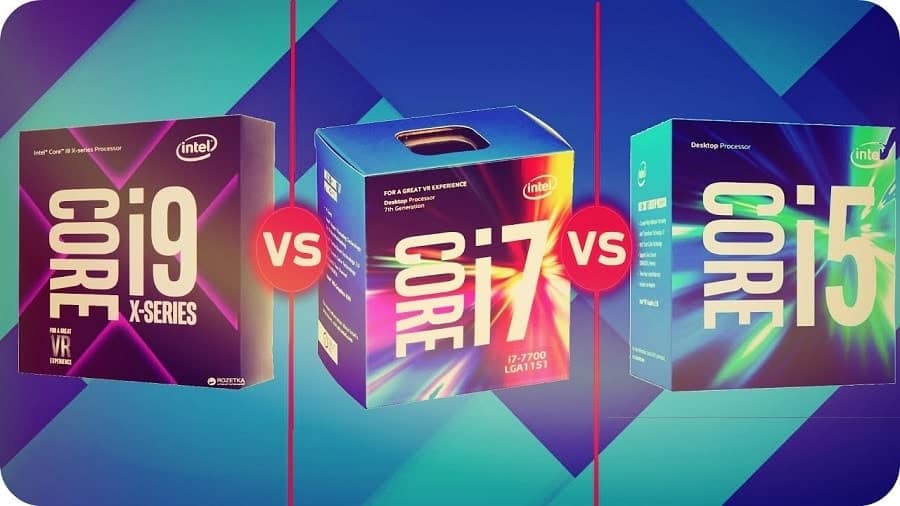
If you are buying or building a gaming PC or looking for a PC configuration for video editing and content creation, you may end up with three popular CPU families Intel Core i5, Core i7, and Core i9. On paper, i9 looks like “the best”, i7 sits in the middle, and i5 is the budget option. But in real life, you may have a question on your mind Is Intel Core i5 enough for gaming in 2026? Users ask Do i really need Intel Core i7 or i9 for video editing and streaming or Is an Intel Core i9 processor overkill if you mostly play games and browse? In this article, we focus on real‑world usage, not just benchmark numbers. By the end, you will clearly know which Intel Core i5, i7, or i9 processor is the right choice for gaming, streaming, and content creation in 2026.
Contents
- 1 Quick Summary: Who Should Choose Intel Core i5, i7, or i9 in 2026?
- 2 Understand Intel Core i5, i7 and i9 Processors
- 3 CPU Generations: What to Prefer in 2026 (13th, 14th Gen and Beyond)
- 4 Key Specs That Matter for Gaming & Content Creation
- 5 Intel i5 in 2026: Still the Sweet Spot for Most Gamers
- 6 Intel i7 in 2026: The Balanced Choice for Gaming, Streaming, and Editing
- 7 Intel i9 in 2026: For Heavy Creators, 4K Editing and Workstations
- 8 Intel i5 vs i7 vs i9 for Gaming in 2026
- 9 Intel i5 vs i7 vs i9 for Content Creation & Video Editing
- 10 Desktop vs Laptop: Does the Choice Change?
- 11 How to Choose the Right CPU for Your Needs
Quick Summary: Who Should Choose Intel Core i5, i7, or i9 in 2026?
| CPU Family | Best For (Short Answer) |
|---|---|
| Intel i5 | Gamers on a budget, 1080p gaming, light streaming, entry‑level YouTubers and editors |
| Intel i7 | High‑refresh gaming, regular streaming, serious 1080p/1440p editing, heavier multitasking |
| Intel i9 | 4K/8K editing, complex 3D work, heavy streaming + recording, professional creators |
- If you mainly play games at 1080p and stream occasionally → i5 is often enough.
- If you want smooth high‑FPS gaming + regular streaming and serious editing → i7 is the sweet spot.
- If you are a full‑time content creator, 4K video editor, or 3D artist → i9 makes sense.
If you’re still deciding between Intel and AMD overall, also read our detailed comparison: Intel vs AMD Ryzen Processors in 2026: Which Is Best for Gaming, Work, and Video Editing?
Understand Intel Core i5, i7 and i9 Processors
Intel uses a tiered naming system for its high‑performance CPUs:
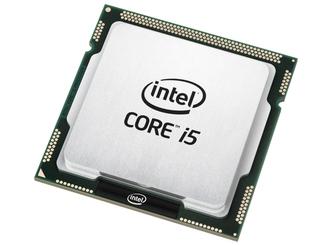
- Intel Core i5 – Upper‑mid range, great value, very strong for gaming.
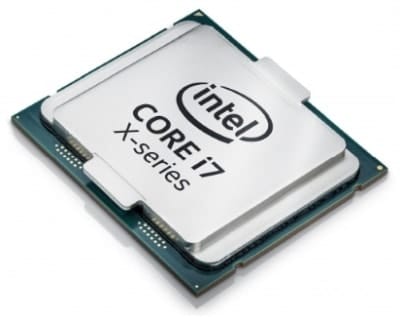
- Intel Core i7 – High‑end, more cores and threads, better for heavy multitasking and creation.
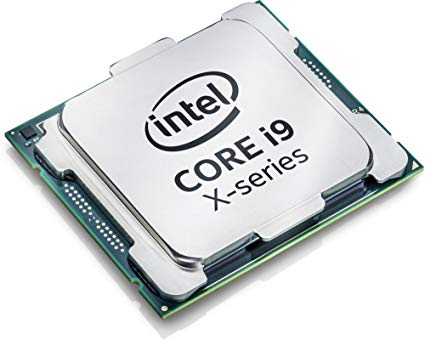
- Intel Core i9 – Enthusiast/professional level, maximum cores and performance in the mainstream platform.
Within the same generation:
- i7 is more powerful than i5
- i9 is more powerful than i7
But
A newer generation Intel Core i5 processor can beat an older generation Intel Core i7 or i9 processor in some tasks, while using less power.
That’s why for 2026 you should care about both the tier (i5/i7/i9) and the generation.
CPU Generations: What to Prefer in 2026 (13th, 14th Gen and Beyond)
In 2026, you will mostly see 13th Gen (Raptor Lake) and 14th Gen Intel Core processors in new PCs and laptops. You might still find 12th Gen in older or discounted systems.
Look at a CPU name like:
- Intel Core i5‑13600K
- Intel Core i7‑13700K
- Intel Core i9‑14900K
The first two digits after i5/i7/i9 show the generation:
13***→ 13th Gen14***→ 14th Gen
Recommended for 2026:
- For a new gaming or creator PC in 2026, consider at least 12th Gen, and ideally a 13th or 14th Gen Intel Core i5, i7 or i9.
- Avoid very old 8th/9th/10th Gen i7 or i9 unless you get them very cheap and know exactly what you’re doing.
As a rule:
For gaming and content creation in 2026, a 13th/14th Gen i5 is often better than an old 9th/10th Gen i7, and much more efficient.
Key Specs That Matter for Gaming & Content Creation
You don’t need to understand every technical detail, but these factors decide how i5, i7, and i9 behave under real workloads.
1. Cores and Threads
Modern Intel CPUs use a hybrid design:
- Performance cores (P‑cores) – handle heavy, latency‑sensitive tasks like games and main app threads.
- Efficiency cores (E‑cores) – handle background tasks and light workloads.
More cores and threads help when you:
- Stream and play games at the same time
- Edit and export large video projects
- Render 3D scenes or run multiple heavy apps together
In general (13th/14th Gen desktop examples):
- i5 – fewer total cores/threads than i7 and i9, but still very strong for pure gaming.
- i7 – more cores/threads, excellent balance between gaming and multitasking.
- i9 – maximum cores/threads, best for heavy production workloads.
2. Clock Speed (GHz)
Clock speed = how fast each core runs.
- Higher clocks help games that are sensitive to single‑thread performance.
- Boost clocks (Turbo) matter more than base clocks for gaming and creative bursts.
Modern i5/i7/i9 chips often boost close to or above 5.0 GHz on their best cores, especially the K‑series desktop CPUs.
3. Cache
Cache is very fast memory inside the CPU. More cache can:
- Reduce stutters in some CPU‑heavy games
- Help with large projects in editing and rendering
i7 and i9 typically have more cache than i5, which helps in heavy content creation and high‑end gaming.
4. Power and Cooling
- i5 – easier to cool, uses less power, ideal for mid‑range builds and many laptops.
- i7 – needs better cooling, uses more power under load, but still manageable in most gaming/creator PCs.
- i9 – can draw a lot of power and needs strong cooling (good tower cooler or AIO liquid), especially the K and KF desktop models.
If your case airflow and cooler are weak, an i9 might throttle and not deliver its full performance.
| Feature / Specs | Intel Core i5 (13th–14th Gen) | Intel Core i7 (13th–14th Gen) | Intel Core i9 (13th–14th Gen) |
|---|---|---|---|
| Typical Cores / Threads | Moderate core & thread count (less than i7/i9) | Higher core & thread count than i5 | Highest core & thread count in mainstream lineup |
| Architecture Design | Hybrid design (Performance cores + Efficient cores) | Hybrid design with more E-cores than i5 | Hybrid design with maximum P-cores + many E-cores |
| Typical Boost Clock | Up to ~5.0 GHz (on best P-cores) | Around 5.0–5.3 GHz | Up to ~5.6 GHz or higher |
| Cache Size (Approx.) | Smaller cache | Larger cache than i5 | Largest cache among i5/i7/i9 |
| Power & Cooling Needs | Easier to cool; good for mid-range air coolers | Requires better cooling for sustained loads | Needs strong cooling (high-end air or liquid) + quality PSU |
| Best For | 1080p gaming, casual streaming, light video editing | High-FPS gaming, regular streaming, serious content creation | 4K/8K editing, 3D rendering, heavy multitasking, professional workloads |
Intel i5 in 2026: Still the Sweet Spot for Most Gamers

Who it’s for:
- Gamers playing mostly at 1080p
- People who sometimes stream or record gameplay
- Beginner and intermediate YouTubers editing 1080p videos
- Users on a budget who still want strong performance
Modern 13th/14th Gen Intel Core i5 CPUs deliver fantastic gaming performance when paired with a good GPU. In many games, an i5 can reach almost the same FPS as i7 or i9, especially at 1080p and 1440p, because the graphics card becomes the main bottleneck.
Intel i5 for Gaming
An Intel i5 is usually:
- More than enough for esports titles (Valorant, CS2, Fortnite, etc.) at high FPS.
- Strong enough for most AAA games at high settings when combined with a capable GPU.
- Great for 1080p gaming and even 1440p in many titles.
If you:
- Play games
- Keep a browser, Discord, and a few background apps open
- Sometimes stream at lower bitrates
…an i5 can handle it, provided you have 16 GB RAM and a decent graphics card.
Intel i5 for Content Creation
For content creation, i5 is good for:
- Basic to moderate 1080p video editing
- Creating YouTube content with simple cuts, transitions, and light effects
- Light photo editing in tools like Photoshop and Lightroom
- Basic streaming setups (single PC streaming at 1080p with optimized settings)
However, if you:
- Work with long timelines
- Use lots of effects, color grading, and multiple layers
- Want to edit 4K footage comfortably
…you will start to feel the limits of i5 and should look at i7 or i9 instead.
Intel i7 in 2026: The Balanced Choice for Gaming, Streaming, and Editing

Who it’s for:
- Gamers who want high refresh rate (144 Hz, 240 Hz) performance
- People who regularly stream and record their gameplay
- Serious video editors working with 1080p and 1440p projects
- Content creators who run many apps at once (browser, editing suite, chat, music, etc.)
Intel Core i7 sits in the high‑end segment. It offers more cores, more threads, and a larger cache compared to i5, which makes it better suited for multitasking and heavier creative workloads.
Intel i7 for Gaming
In pure gaming FPS, an i7 is often very close to i9 in 2026, especially when the GPU is the main limit.
i7 helps especially when you:
- Play CPU‑heavy games (large open‑world titles, big strategy games, simulators)
- Want to maintain high FPS while also streaming or recording in the background
- Run many background apps (Discord, Chrome, OBS, RGB software, overlays, etc.)
If you’re targeting 144 Hz or 240 Hz gaming on a high‑end GPU, i7 usually provides a more stable experience with fewer drops compared to i5 when heavily multitasking.
Intel i7 for Content Creation
This is where i7 really shines.
Great for:
- Regular 1080p and 1440p video editing with multiple layers and effects
- Faster exports and renders compared to i5
- Running Premiere Pro, DaVinci Resolve, After Effects, Photoshop together
- Streaming in high quality while also gaming and running multiple apps
For many serious YouTubers, streamers, and creative professionals, i7 is the best balance between price and performance.
If your budget allows it, and you are serious about both gaming and content creation, i7 is often the smartest choice in 2026.
Intel i9 in 2026: For Heavy Creators, 4K Editing and Workstations

Who it’s for:
- Professional video editors working with 4K/8K footage
- 3D artists, motion graphics designers, VFX creators
- Users running many heavy apps and virtual machines together
- People who value render/export time over price
Intel Core i9 is the flagship tier in the consumer lineup. It has the most cores, highest boost clocks, and largest cache among i5/i7/i9.
Is Intel i9 overkill for gaming?
For pure gaming only, yes — i9 is often overkill. A 13th/14th Gen i5 or i7 already gives you excellent FPS when paired with the right GPU.
You typically buy an i9 for gaming only if:
- You want a “no compromises” halo build
- You also do heavy streaming, recording, and editing on the same machine
- You don’t mind paying more for slightly more headroom
Intel i9 for Content Creation
This is where i9 makes the most sense.
Best suited for:
- 4K and 8K video editing with complex timelines, effects, and heavy color grading
- 3D rendering (Blender, Maya, Cinema 4D) and CAD work
- Running multiple virtual machines, databases, or complex simulations
- Professional workflows where time literally equals money
If you are a full‑time creator or professional and your income depends on shorter render times and fast response, the extra investment in i9 can pay for itself over time.
For a typical gamer or hobby creator, however, the extra money for i9 is usually better spent on a stronger GPU, more RAM, or faster storage.
Intel i5 vs i7 vs i9 for Gaming in 2026
Let’s compare them only for gaming.
| Gaming Scenario | Best Choice (CPU tier) | Why |
|---|---|---|
| 1080p gaming, mid‑range GPU, no streaming | Intel i5 | Great FPS, cheaper, money saved can go into a better GPU |
| 1080p/1440p gaming, occasional streaming | Intel i5 or i7 | i5 enough for light streaming, i7 better if you stream more often |
| High‑refresh (144/240 Hz) gaming + streaming | Intel i7 | More cores/threads handle game + stream + background apps more smoothly |
| 4K gaming with very high‑end GPU | Intel i7 (i5 also ok) | At 4K, GPU is usually the bottleneck, but i7 gives more headroom for multitasking |
| AAA games + heavy mods + background workloads | Intel i7 or i9 | i7 is usually enough, i9 only if you’re also doing heavy streaming/recording/editing |
Simple guidance for gaming in 2026:
- Budget to mid‑range builds: go Intel i5 and spend more on the GPU.
- Performance and streaming builds: go Intel i7 for balance.
- Extreme, all‑in‑one game + stream + edit workstations: consider Intel i9.
Intel i5 vs i7 vs i9 for Content Creation & Video Editing
Now compare them for content creation (YouTube, streaming, editing, 3D, etc.).
| Content Creation Scenario | Recommended CPU Tier | Notes |
|---|---|---|
| Basic 1080p editing, simple cuts | Intel i5 | Good enough for small projects and simple workflows |
| Regular 1080p editing with effects & multi‑layer | Intel i7 | Extra cores and cache make timeline smoother and exports faster |
| 1440p editing, moderate effects | Intel i7 | Safer choice for creators who upload regularly |
| 4K editing, lots of effects and color grading | Intel i9 | High core count helps with previews and exports |
| 3D rendering and motion graphics | Intel i7 or i9 | i7 fine for many users, i9 for heavy, frequent rendering |
| Streaming while editing or running multiple tools | Intel i7 or i9 | Extra cores/threads make multitasking smoother |
Simple guidance for creators in 2026:
- Hobby creators, 1080p YouTube videos: i5 is fine, especially with a GPU that has good hardware encoders.
- Regular YouTubers, streamers, and serious 1080p/1440p editors: i7 is the best value.
- 4K/8K or professional projects, 3D, VFX, studios: go i9 if budget and cooling allow.
Desktop vs Laptop: Does the Choice Change?
Yes, a bit.
Desktops
- More power and cooling → i7 and i9 can run at higher boost speeds.
- Easier to upgrade GPU, RAM, and storage later.
- If you’re building a desktop purely for gaming, i5 or i7 with a strong GPU is usually ideal.
Laptops
- Thermal limits are stricter. An i9 laptop can throttle if cooling is weak.
- Battery life: i9 laptops often use more power under load; i5/i7 can be more balanced.
- For gaming laptops, an i7 + good GPU is often the best combination.
- For creator laptops, i7 or i9 with enough RAM (16–32 GB) and fast SSDs is recommended.
If you’re mostly mobile and do light to moderate editing, an i7 laptop is usually the sweet spot in 2026.
If you’re buying a laptop rather than a desktop, don’t just look at the CPU. Screen, battery, weight and storage matter too. Check our How to Choose the Right Laptop in 2026 guide for a complete walkthrough.
How to Choose the Right CPU for Your Needs
Ask yourself three questions:
- What is my main use? (Gaming? Streaming? Editing? 3D?)
- What resolution and quality do I care about? (1080p, 1440p, 4K?)
- What is my total budget? (Including GPU, RAM, SSD, monitor, etc.)
Then follow this:
Choose Intel i5 if…
- Your primary goal is gaming at 1080p or 1440p.
- You do light editing and occasional streaming only.
- You want to put more of your budget into the GPU (which matters most for FPS).
Choose Intel i7 if…
- You game at high refresh rates and often stream or record.
- You create content regularly (editing 1080p/1440p videos, streaming, using multiple tools).
- You want a balanced system that is strong for both gaming and content creation.
Choose Intel i9 if…
- You are a professional creator, editor, or 3D artist.
- You work with 4K or 8K timelines, complex effects, or long projects.
- You don’t mind paying more for maximum performance and shorter render times.
For most gamers and many creators in 2026, i7 is the real sweet spot. i5 is excellent for budget and mid‑range builds. i9 is for heavy, professional workloads.
Final tip: When choosing between Intel i5 vs i7 vs i9 in 2026, don’t just look at the CPU name. Always check:
- Generation: Prefer 13th or 14th Gen (12th Gen minimum).
- RAM: At least 16 GB for gaming/creation (32 GB for heavy editing/3D).
- Storage: Use a fast NVMe SSD.
- GPU: For gaming and many creator tasks, your graphics card matters as much as the CPU.
Frequently Asked Questions
Yes, Intel i5 is enough for most gamers in 2026, especially for 1080p gaming with a good graphics card. An i5 can handle popular titles and esports games at high FPS. It’s also fine for light streaming if you optimize your settings.
Yes, Intel i7 is better than i5 for gaming when you also stream or multitask heavily. In pure FPS at 1080p or 1440p, the difference can be small if the GPU is the bottleneck. But i7 shines when you run many background apps or stream and record at the same time.
No, you don’t need Intel i9 only for gaming in most cases. A good i5 or i7 with a strong GPU is enough for high‑end gaming. i9 makes sense only if you also do heavy content creation, 4K editing, or want a no‑compromise flagship build.
Intel i9 is better for heavy video editing, especially 4K/8K projects and timelines with many effects. However, Intel i7 is enough for most 1080p and 1440p editors, and offers better value for many YouTubers and streamers.
Intel i9 is worth it for professional content creators who regularly work on big projects, 4K/8K timelines, or complex 3D and VFX work. For hobby creators or smaller channels, Intel i7 usually provides a better balance of price and performance.
For most people, Intel i7 is the best processor for gaming and streaming in 2026. It offers more cores and threads than i5, making it smoother when you game, stream, and multitask together. If you are on a budget and mainly stream lightly, Intel i5 can still work well.